
I'm very sorry you had a purchase issue, I'll be happy to help make sure you got what you paid for.
Can you try refreshing (closing and reopening) the game to see if this helps restore your purchase? If it doesn't...
Please provide the following:
-A properly formatted receipt (please send all receipts pertaining to this issue)
-What was included in the package (please specify what items and how many were included)
Please send us a receipt to get started.
IOS:
Your Apple receipt should've been emailed to you, please send it to us in your reply.
If you need more information on how to retrieve your receipt, please visit this link: More information on how to retrieve your receipt can be found by clicking this link: https://support.apple.com/HT204088
Please note:
It may take a few days before the App Store processes the charges, so your receipt may show purchases from previous days.
Please follow the below link for more information regarding your iTunes purchase history: https://support.apple.com/en-us/HT204088
If it is being displayed as "Pending", it may take time to process on Apple's end. Please review Apple's "Pending" purchases here: https://support.apple.com/en-us/HT203005
GOOGLE:
Your Google Play receipt should've been emailed to you, please attach it in your reply.
You can find your receipt by proceeding to the link below and following the steps.
https://support.google.com/googleplay/answer/2850369
Please ensure the Google Play receipt contains the "GPA -1111-22222-3333-44444" order number
Once you have a copy of the receipt, please attach it in your reply to us.
WEBSTORE:
We recommend clicking on the restore button in the settings first to see if that brings it back up. If this doesn't work, please shared your receipt with us.
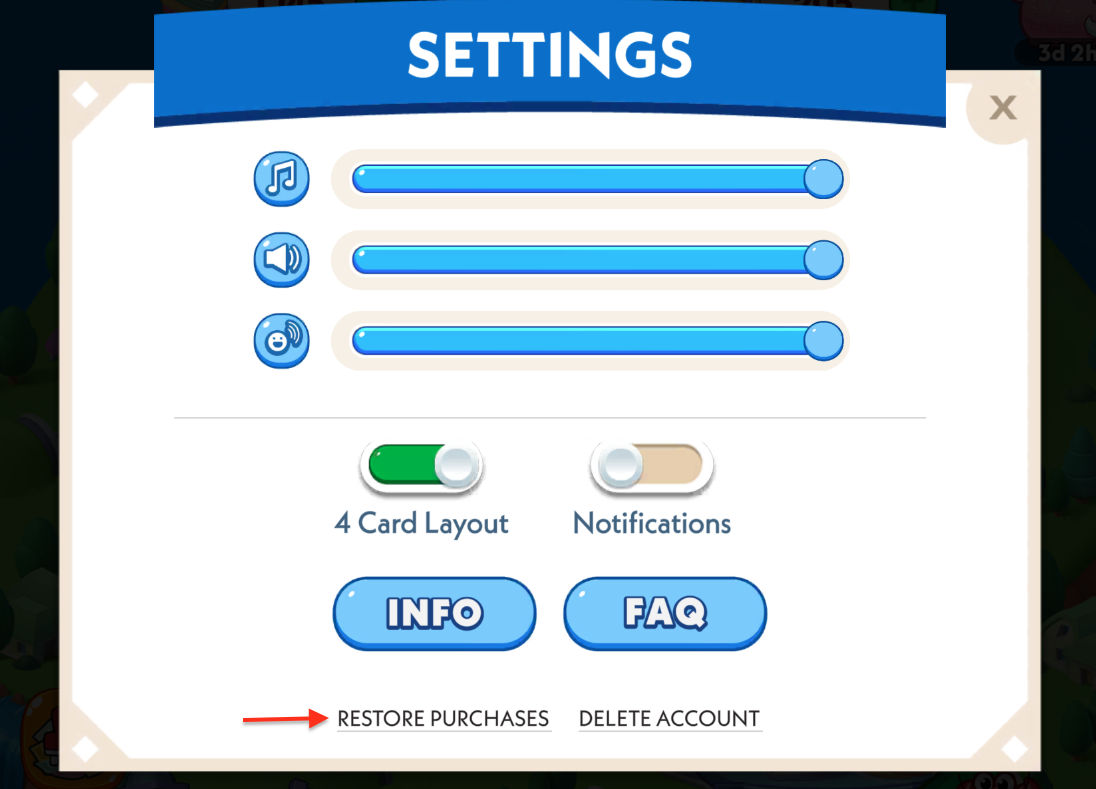
Your Webstore receipt should've been emailed to you, please attach it in your reply.
Once you have a copy of the receipt, please attach it in your reply to us.