
What Settings Can I Customize in MONOPOLY Bingo?
You can adjust several features to tailor them into your preference. These include:
1. Music Settings
Control the background music during gameplay. You can turn the in-game music on or off, or adjust the volume level depending on whether you prefer a lively soundtrack or a quieter playing environment.
2. Sound Settings
Manage all sound effects, such as dauber taps and reward chimes. Turning sound effects on or off, or adjusting the volume level, lets you choose between a fully immersive experience or silent play.
3. Voice Over Settings
Enable or disable voice-over features related to number calling or other spoken prompts. This setting is helpful for players who prefer audio cues during bingo rounds.
4. 4-Card Layout
Customize how your bingo cards are arranged on the screen. The 4-card layout option ensures all four cards are shown during the game instead of switching pages on a 2-card layout.
5. Notifications
Choose whether to receive push notifications and reminders.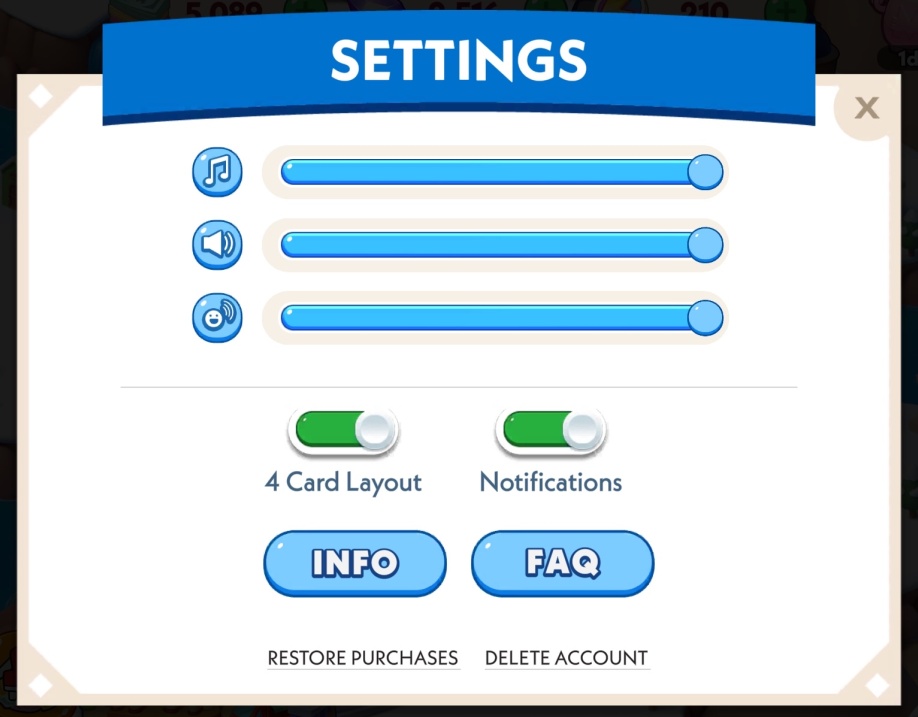
Can I Change the Bingo Caller Speed?
At this time, MONOPOLY Bingo does not offer an option to speed up or slow down the number caller. The pace is currently set by the game and is the same for everyone.
Customizing Your Game: Settings and Options
Last Updated: 114d