
Teams are groups of players who work together each week to earn rewards by playing on a shared bingo card. You can join a team by tapping the Team Hub icon in the lobby.
Players can join teams when you reach player level 25. Choose between Quick Join, Find a Team, or Create Your Own.
Where is the Teams Hub?
You can find the Teams Hub in the bottom-left corner of the game screen, right next to the Monopoly Board button.
The Teams Hub button appears as a rounded square icon with an orange border and a blue center, featuring a gold crown symbol in the middle. It sits among the row of menu buttons at the bottom left corner of the screen.
If you see an icon with a crown inside a badge-like frame, that is the Teams Hub.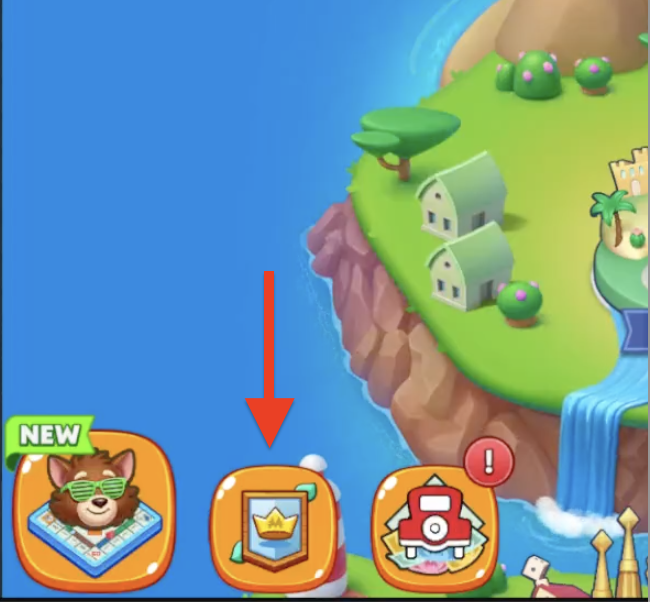
How do I create my own team?
Tap “Create a Team” in the Team Hub, choose a team name, emblem, and set your team type (Open, Private, or Closed).
What’s the difference between Open, Private, and Closed teams?
There are 3 different types of team settings:
Open: Anyone can join.
Private: Only people with an invite can join; not searchable.
Closed: Visible in search, but you must request to join and be accepted.
There’s a small fee of 200 Cash to create your team, and you can also set a minimum level for new members.
Can I invite friends to my team?
Yes! From the team hub or chat, you can invite friends who aren’t already in a team.
How Do I Leave My Team?
1. Go to your Team page.
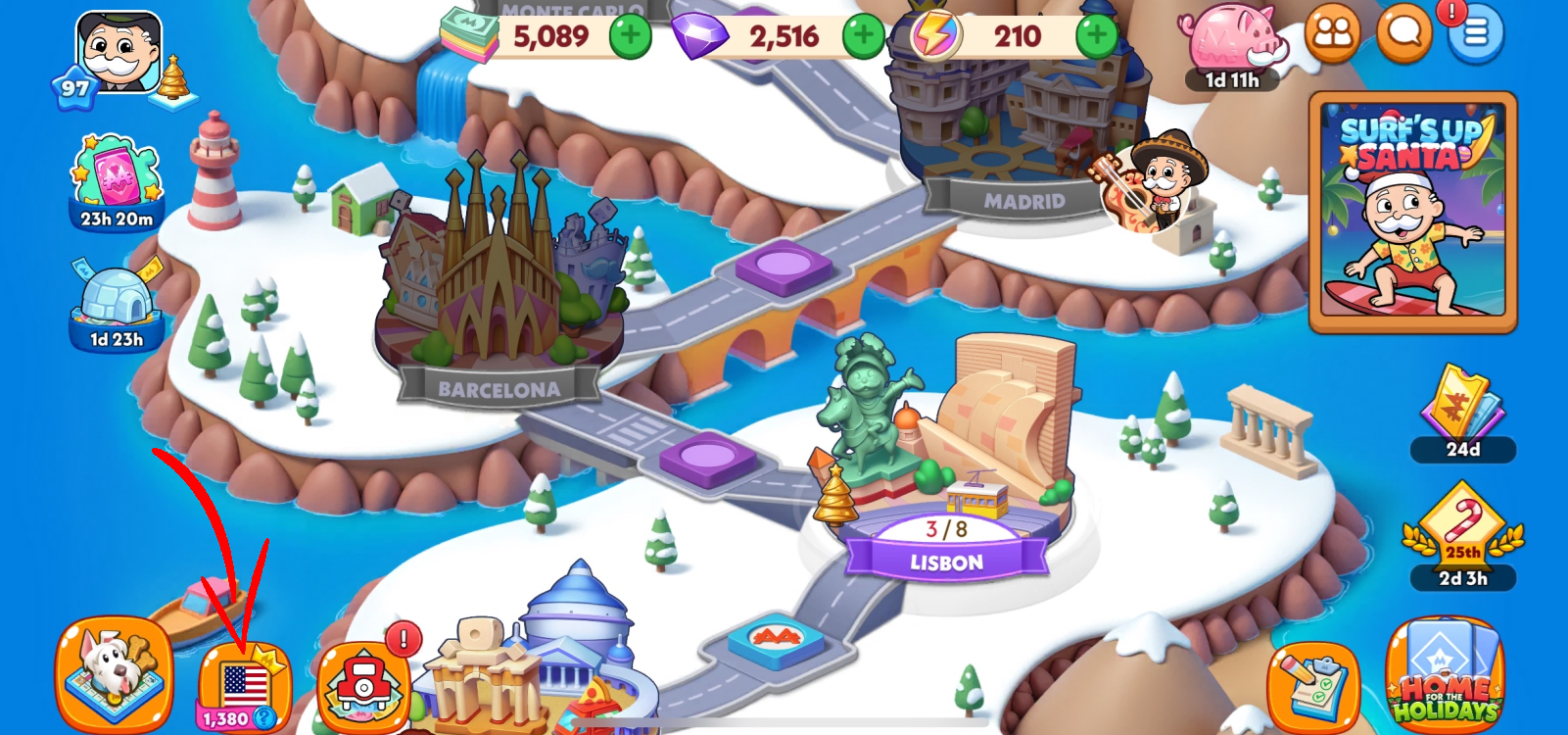
2. On the left side of the screen, tap your Team Name to open the team details.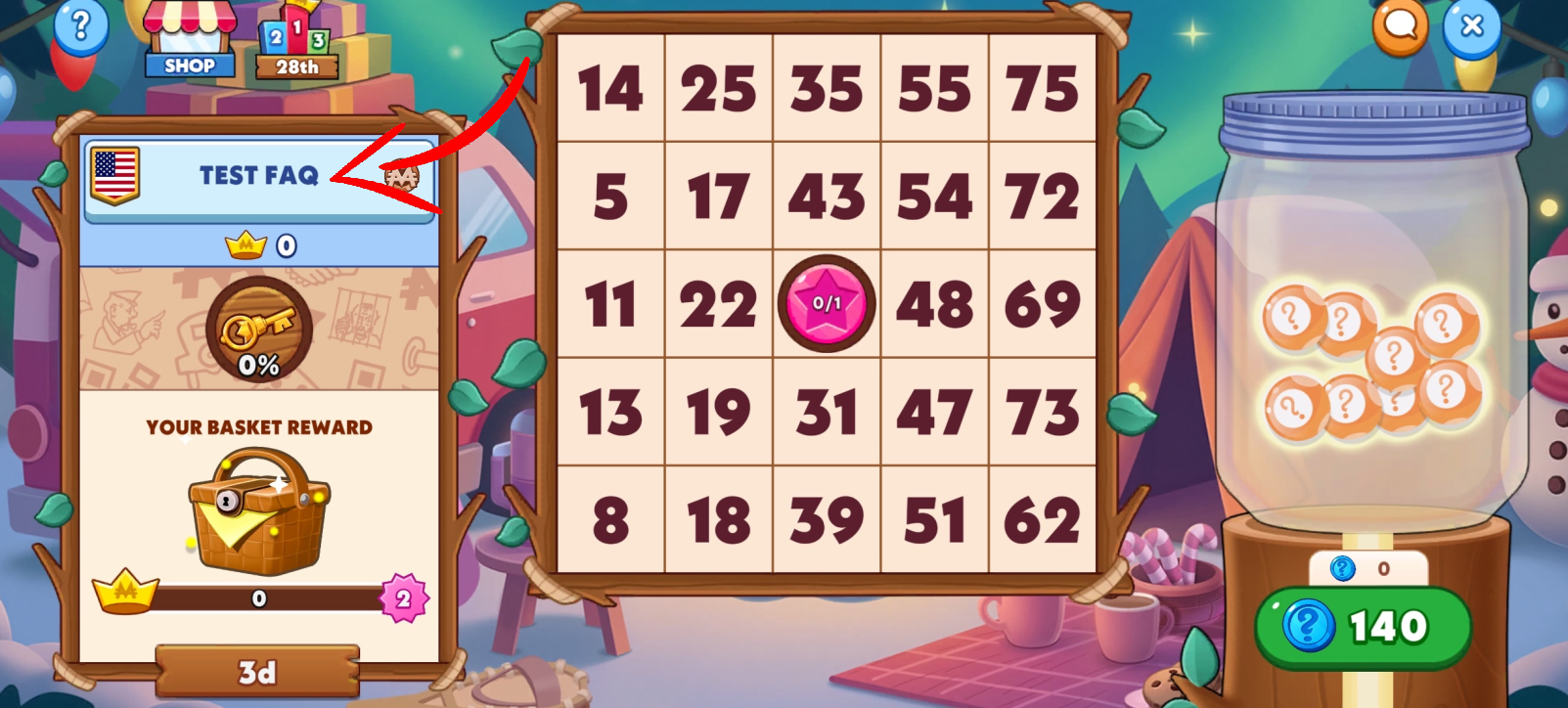
3. In the About section, select Leave Team.
4. A confirmation window will open, giving you the option to select Leave or Stay. If you are the Leader of the team, ownership will automatically be transferred to another player.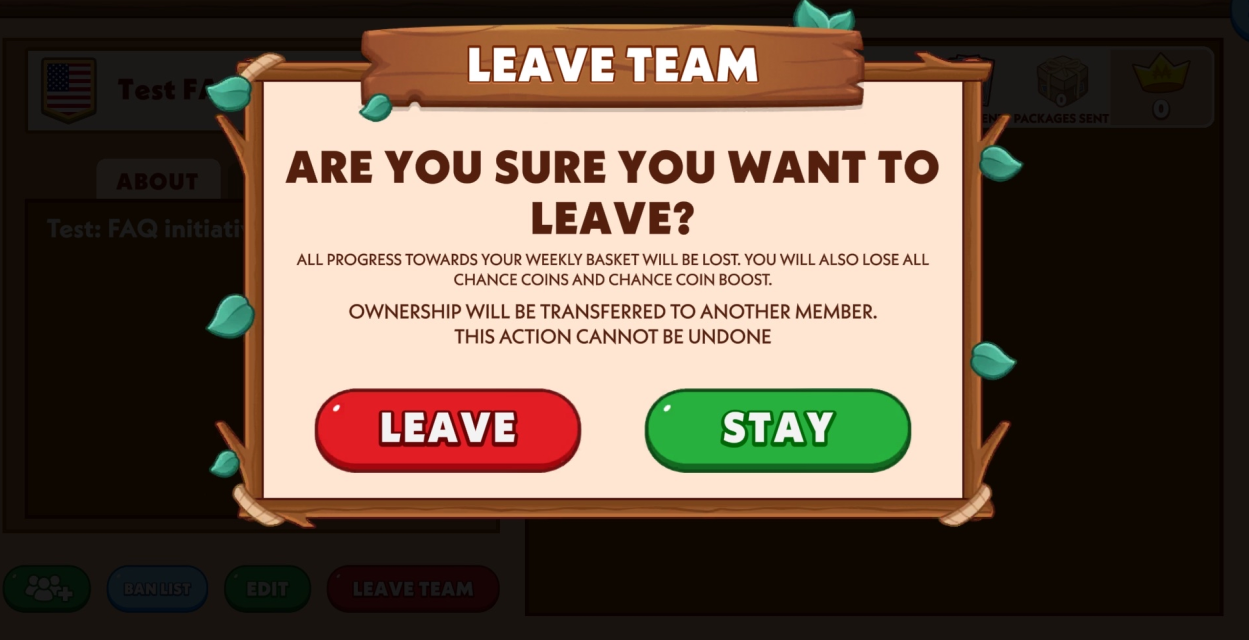
NOTE: Leaving your team will reset your progress toward the weekly basket. You will also lose any Chance Coins you’ve earned and any active Chance Coin Boost.
What’s in the Team Shop?
You’ll find special team-focused offers that boost both you and your team. Some offers even give everyone a gift!
What is the Ultimate Team Chest?
When your team makes enough purchases, you’ll unlock the Ultimate Chest. It contains a high-value reward for everyone in your team. Keep an eye on team chat—it’s where you claim it!